My Crew

Hey friends!! I have another layout to share for The Cut Shoppe!! I used a lot of different products from my stash to create this layout using the Hul-La-Ba-Zoo Cut File!

The Cut Shoppe | Hul-La-Ba-Zoo

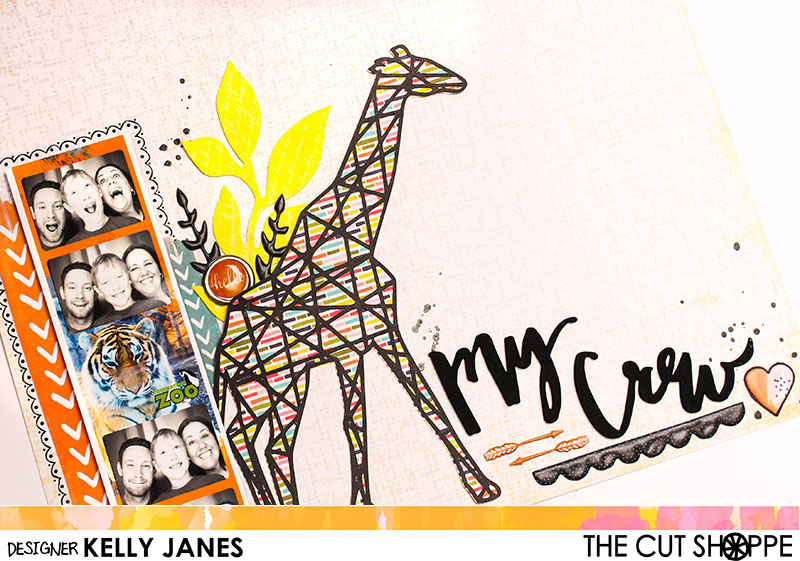
How awesome is this cut file?! So perfect for zoo photos! I loved how this photo booth strip of photos turned out from a recent trip to the zoo and couldn’t wait to scrap it! I cut the giraffe cut file using a pattern paper from the Jillibean Soup Healthy Hello Collection and CTMH Black Cardstock. I positioned the giraffe towards the center of the 12×12 paper. I added the photo strip to the left of the cut file and layered a couple strips of paper from the Amy Tangerine Rise & Shine Collection behind the photo. I also added a black scallop rub-on border around the photo just to help draw your eye to the photo.
The Cut Shoppe | Hul-La-Ba-Zoo

I felt like that there was too much empty space between the giraffe and the photo so I added a Prima Resist Canvas floral sprayed with Shimmerz No Yoking Coloringz, a couple black puffy stickers from Hip Kit Club, and a clip from the Shimelle Starshine Collection. Next I moved on to the title which is from a pack of Dear Lizzy Thickers. I positioned a few more of the Hip Kit Club stickers around the title, including a couple arrows, a black scallop, and a heart.

The Cut Shoppe | Hul-La-Ba-Zoo

Once I had all that down I realized that they top right corner was looking a little bare so I created a cluster to fill in the area. I fussy cut a label from one of the Amy Tangerine Rise and Shine pattern papers. I added another Prima Resist Canvas floral misted in the same Shimmerz spray and a flair button from My Mind’s Eye. I added Black Heidi Swapp Color Shine in a few areas of the layout and it was complete!!

I also created a video showing you the process of how this layout came together!! There’s also a bonus Cricut Design Space tutorial!

Thanks for stopping by and don’t forget to check out The Cut Shoppe Etsy Store!!

Kelly Janes

Happy Adventure | The Cut Shoppe

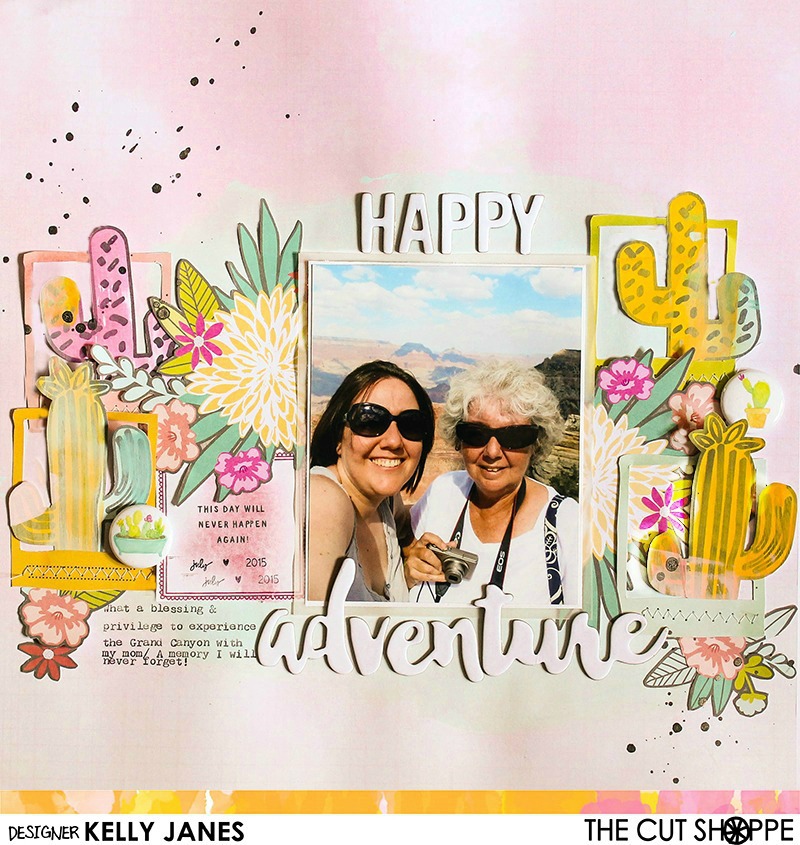
Today I have another layout for The Cut Shoppe and it’s another stash buster! HA!

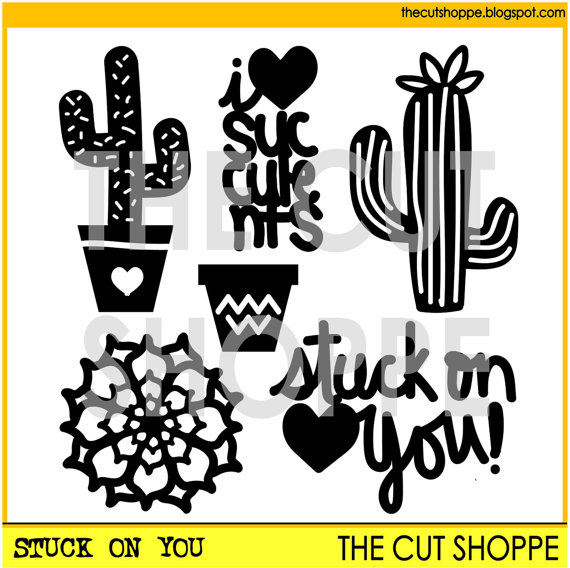
The Cut Shoppe: Stuck On You Cut File

I started by using the Stuck On You Cut File in Cricut Design Space, but instead of cutting the file I used a Cricut Calligraphy Pen to draw the cacti onto white cardstock. After that was complete, I then used multiple colors of cheap acrylic paint and a foam square to put color onto the white carstock. Once they were dry I fussy cut a few of them to use as embellishments on my layout.

The Cut Shoppe: Stuck On You Cut File

The Cut Shoppe: Stuck On You Cut File

My background paper is a beautiful pink color and it comes from the Crate Paper-Maggie Holmes-Bloom Collection. I did add a wash of light blue acrylic paint where I would be adding my layers. I cut multiple flowers and frames from the American Crafts-Dear Lizzy-5th and Frolic Collection. I positioned the cacti inside the frames and arranged a grouping of flowers around my photo.

The Cut Shoppe: Stuck On You Cut File

I matted my photo using white cardstock and a layer of vellum. I debated on whether to create a lot of layers behind the photo, but I felt there was so much busyness already on the layout that it would be fine to stick with a simple mat. This photo was a selfie (or I guess it is technically and “usie”) that I snapped of my mom and myself during our trip to the Grand Canyon. I love this photo!! I feel privileged and blessed that my mom and I were able to experience this together.  I also debated on whether to print it in B&W but I thought it would lose some of its appeal! That sky and the background! JUST GORGEOUS!

The Cut Shoppe: Stuck On You Cut File

I added typed journaling directly onto the layout using my We R Memory Keepers Typecast Typewriter. This typewriter will become an addiction…I can feel it!  I also added a couple flair buttons from the Here Comes The Sun Collection from Pretty Little Studio. My title comes from a couple different Bella Blvd chipboard sheets. They are intended to be colored with inks, sprays, etc but I had so much color going on in this layout I felt they stood out more remaining white.

The Cut Shoppe: Stuck On You Cut File

I also added pop dots behind the top portion of the cacti to give them a little dimension and to elevate them from the background. You can see all of the dimension by the slight shadow they cast in the photo.

I’ve put together a video showing the process of how this layout came together and it also includes a Cricut Design Space tutorial on how to use the Cricut Pens.

Remember to check out The Cut Shoppe! There are cut files for all of your papercrafting needs and more are added every other week!! ALSO..don’t forget about the discount that is available the month of August! There’s still a couple days left to take advantage of this great offer!!

August 2016 Discount

Thanks for stopping by!!

Kelly Janes