Hello Lake Michigan | The Cut Shoppe

Hi friends! I’m back with a new layout that was recently on The Cut Shoppe Blog using the Hello, Let’s Chat Cut File.

12x12 Design Team layout for The Cut Shoppe using the Hello, Let's Chat Cut File along with the Dear Lizzy Lovely Day Collection.

This cut file has a rectangular appearance and I really wanted to fill an entire 12×12 layout with this cut file. To help change the shape of the Hello, Let’s Chat Cut File, I started in Cricut Design Space by slicing off the very bottom speech bubble. I then unlocked the proportions of the cut file and resized the image to 11.5″ x 11.5″. As you can see in the photo of the cut file there are little hearts in the solid speech bubble images, but for some reason when I uploaded this cut file into DS the little hearts disappeared and the speech bubble were completely solid. I liked the look of the hearts in the speech bubbles so I inserted a heart onto the design screen and sliced hearts into three of the solid speech bubble icons.
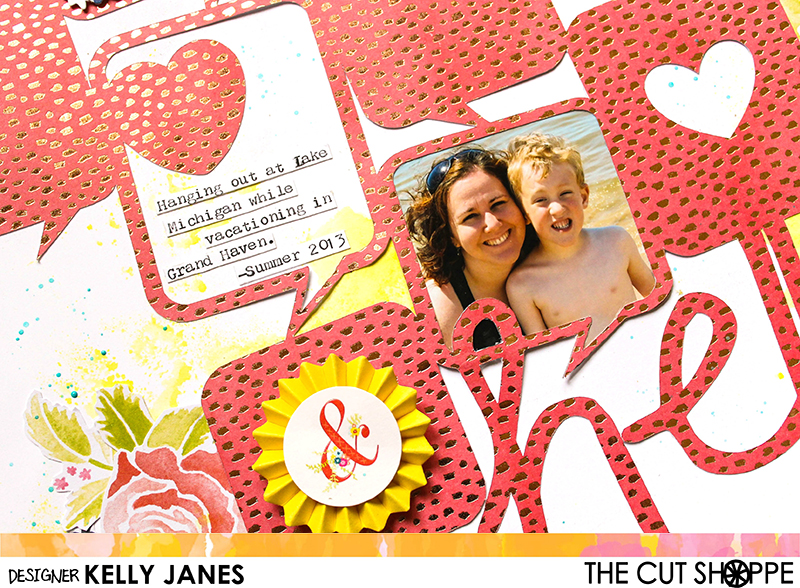
12x12 Design Team layout for The Cut Shoppe using the Hello, Let's Chat Cut File along with the Dear Lizzy Lovely Day Collection.

I cut the cut file image on a piece of specialty patterned paper from the Dear Lizzy Lovely Day paper pad. I love all of the gold foiled flecks in the pattern! I trimmed my photo to fit behind the open speech bubble image and am so happy that it fit so well there! Backing cut files is such a fun technique especially when you can add photos to the mix! Once I had my photo adhered I moved onto the white cardstock background. The white just seemed a little “too white” so I grabbed my go-to color, No Yoking Coloringz by Shimmerz. I used the packaging technique to add a splash of color the four corners of the background cardstock.

12x12 Design Team layout for The Cut Shoppe using the Hello, Let's Chat Cut File along with the Dear Lizzy Lovely Day Collection.

I then moved onto embellishing. I used mainly products from the Dear Lizzy Lovely Day Collection including the die cut pack, the 3D Stickers, and I also fussy cut a couple additional florals from the 6×6 paper pad. I just love, love, love the dimension of those 3D stickers! I also added a flair button from an older Dear Lizzy Collection to the right of the word ‘Hello’.
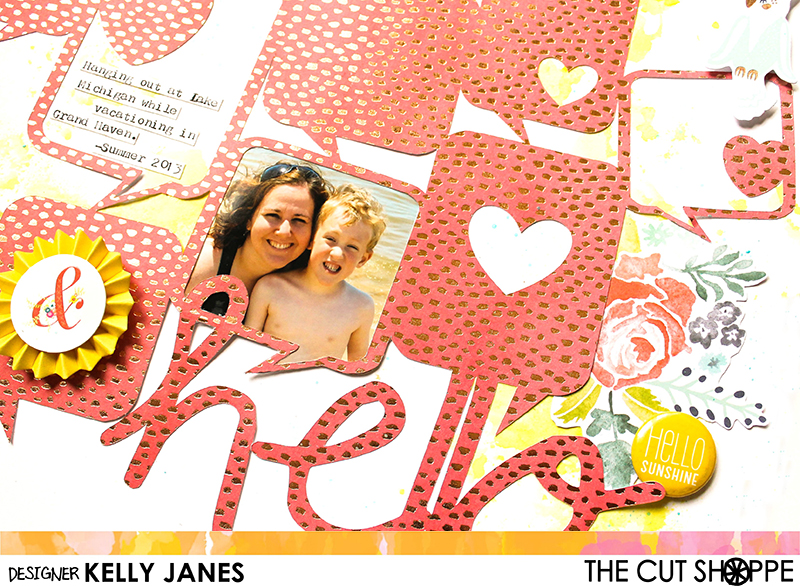
12x12 Design Team layout for The Cut Shoppe using the Hello, Let's Chat Cut File along with the Dear Lizzy Lovely Day Collection.

For final touches I added my journaling using my We R Memory Keepers Typecast Typewriter and a few splatter of Shimmerz Ride The Tide Creameez.

12x12 Design Team layout for The Cut Shoppe using the Hello, Let's Chat Cut File along with the Dear Lizzy Lovely Day Collection.

Now you can take a look at my process video that includes a Cricut Design Space 3.0 Beta tutorial.

This is my second to last layout for The Cut Shoppe. In case you missed it The Cut Shoppe Design Team will be closing next month. I’m hoping to record a chit chat video today to talk more about what’s to come on my blog and YouTube channel over the next few months. The Cut Shoppe Etsy Store will remain open even though the Design Team is closing so remember to head over to check out the cut files and digital collections! Ashley has some amazing designs in the shop!


Movie On Main | The Cut Shoppe

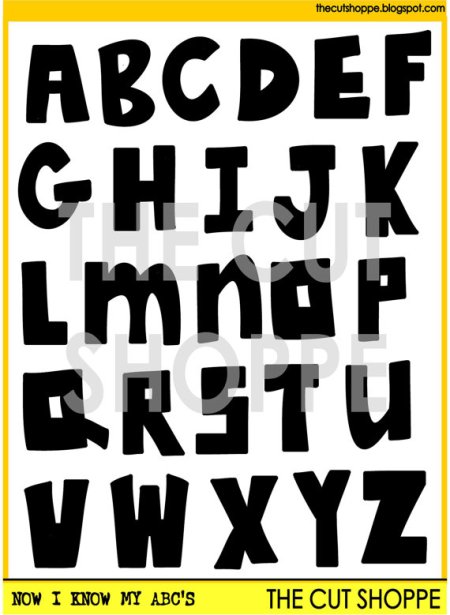
Hey there! Today I’m back with a new layout for The Cut Shoppe using the Now I Know My ABC’s Cut File. I love the look of hand cut letters, but I am terrible at cutting them! I can never get the letters the same size or shape, which I guess is some of the charm of hand cut letters, but with the Now I Know My ABC’s Cut File you still get the look of hand cut letters without having the stress!

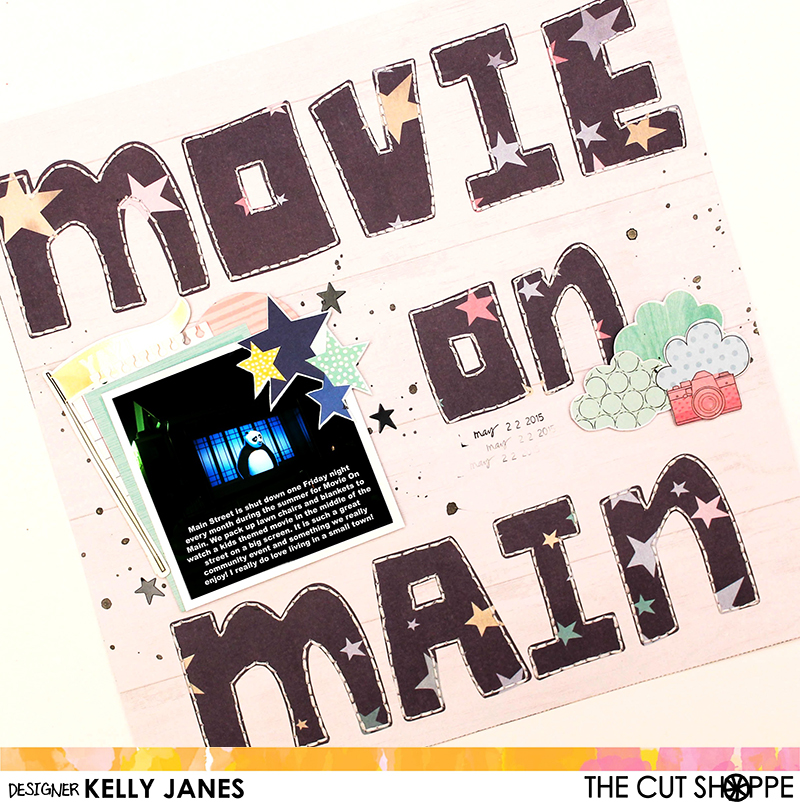
12x12 Design Team scrapbook layout for The Cut Shoppe using the Now I Know My ABC's Cut File along with Shimelle's Little By Little Collection

I started in Cricut Design Space by slicing apart the letters from the cut file. I then positioned the letters on the design screen to spell out “Movie on Main”. When positioning the letters I made sure to leave enough space between the words for the photo.  I cut the letters out on a light woodgrain patterned paper from the Pink Paislee Bella Rouge Collection. I then backed the letters with a patterned paper from the Shimelle Little By Little Collection. I also added hand stitching detail with white embroidery floss around each of the letters.

12x12 Design Team scrapbook layout for The Cut Shoppe using the Now I Know My ABC's Cut File along with Shimelle's Little By Little Collection

I used Picmonkey to add the text directly to the photo. This is a great way to use up white space on the photo. In my case my “white” space was actually the dark area on the photo. This photo was taken at night during an outdoor movie. One of the things I struggle with in scrapbooking is figuring out where to place my journaling. It’s usually the last thing I think about when designing a layout and I sometimes forget to leave space for it. Adding the journaling to the photo was a great solution!

12x12 Design Team scrapbook layout for The Cut Shoppe using the Now I Know My ABC's Cut File along with Shimelle's Little By Little Collection

To embellish the layout I used die cuts and stickers from the Shimelle Little By Little Collection. I also fussy cut out a cluster of clouds and a camera, from a couple patterned papers from the same collection, to create a cluster next to the word “on”.  Then I added splatters of Black Heidi Swapp Color Shine.

12x12 Design Team scrapbook layout for The Cut Shoppe using the Now I Know My ABC's Cut File along with Shimelle's Little By Little Collection

I do have a YouTube process video that will be posted shortly so be sure to check back or subscribe to my YouTube Channel so you don’t miss it! Remember to head over The Cut Shoppe Etsy Store to check out all of the cut files!!