Life Together | The Cut Shoppe

Hello friends! I have another scrapbook layout for The Cut Shoppe today using the Spinwheels Cut File.

The Cut Shoppe-Spinwheels Cut File

The Cut Shoppe-Spinwheels Cut File

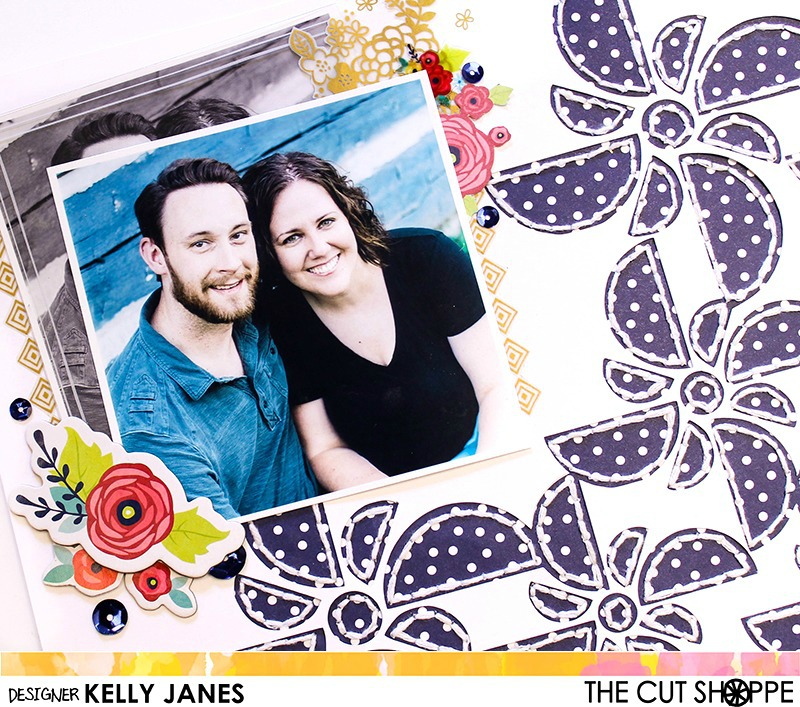
I started by slicing out an individual “spinwheel” in Cricut Design Space. Once I had the “spinwheel” separated from the original cut file I resized the image multiple times and welded the “spinwheels” together to create this diagonal design. Once it was cut I backed the white cardstock with a sheet of pattern paper from the Amy Tangerine-Better Together Collection. I wanted to add a little more detail so I hand stitched around each image using white embroidery floss.

The Cut Shoppe-Spinwheels Cut File

I couldn’t decide if I wanted to use black and white photos or use them in color so I printed them both ways. I decided to offset the colored photo with the black and white photo for added interest. I also placed a clear overlay from the Amy Tangerine Better Together Collection on top of both of the B&W photos. These photos were taken last year as part of our family photo session by my sister who is a very talented photographer in the Fort Wayne, IN area. Andy and I haven’t had photos taken of just the two of us since our wedding nearly 11 years ago. I especially love the one of me laughing. That photo captures who we are when we are together. I love that…when a photo invokes emotion! He truly is my better half and I am so grateful to have these photos!!
The Cut Shoppe-Spinwheels Cut File

Once I had the photos positioned I started arranging clusters of embellishments around the photo, including items from the Shimelle Starshine Collection, Maggie Holmes-Bloom Collection, Amy Tangerine rub-ons from Better Together, and blue sequins from Jillibean Soup.

The Cut Shoppe-Spinwheels Cut File

This layout was so much fun to make and I have a process video showing you how it all came together!

Thank you so much for stopping by today!!

Kelly Janes

My Crew

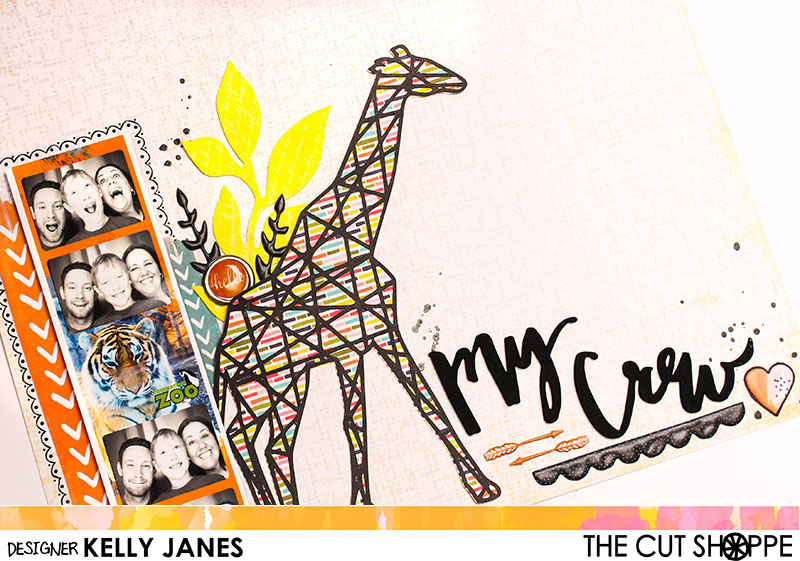
Hey friends!! I have another layout to share for The Cut Shoppe!! I used a lot of different products from my stash to create this layout using the Hul-La-Ba-Zoo Cut File!

The Cut Shoppe | Hul-La-Ba-Zoo

How awesome is this cut file?! So perfect for zoo photos! I loved how this photo booth strip of photos turned out from a recent trip to the zoo and couldn’t wait to scrap it! I cut the giraffe cut file using a pattern paper from the Jillibean Soup Healthy Hello Collection and CTMH Black Cardstock. I positioned the giraffe towards the center of the 12×12 paper. I added the photo strip to the left of the cut file and layered a couple strips of paper from the Amy Tangerine Rise & Shine Collection behind the photo. I also added a black scallop rub-on border around the photo just to help draw your eye to the photo.

The Cut Shoppe | Hul-La-Ba-Zoo

I felt like that there was too much empty space between the giraffe and the photo so I added a Prima Resist Canvas floral sprayed with Shimmerz No Yoking Coloringz, a couple black puffy stickers from Hip Kit Club, and a clip from the Shimelle Starshine Collection. Next I moved on to the title which is from a pack of Dear Lizzy Thickers. I positioned a few more of the Hip Kit Club stickers around the title, including a couple arrows, a black scallop, and a heart.

The Cut Shoppe | Hul-La-Ba-Zoo

Once I had all that down I realized that they top right corner was looking a little bare so I created a cluster to fill in the area. I fussy cut a label from one of the Amy Tangerine Rise and Shine pattern papers. I added another Prima Resist Canvas floral misted in the same Shimmerz spray and a flair button from My Mind’s Eye. I added Black Heidi Swapp Color Shine in a few areas of the layout and it was complete!!

I also created a video showing you the process of how this layout came together!! There’s also a bonus Cricut Design Space tutorial!

Thanks for stopping by and don’t forget to check out The Cut Shoppe Etsy Store!!

Kelly Janes