Sweet | Hip Kit Club

Hello friends! I’m back with a new layout for Hip Kit Club using the December 2016 Hip Kits. This kit is full of so many wonderful paper and embellishments. The options really are limitless. You could create bold colorful layouts or soft subtle layouts, which is what I have done for my most recent layout using the December Kits.

Hip Kit Club | December 2016 Kits | Pink Paislee-Take Me Away & HKC Exclusives

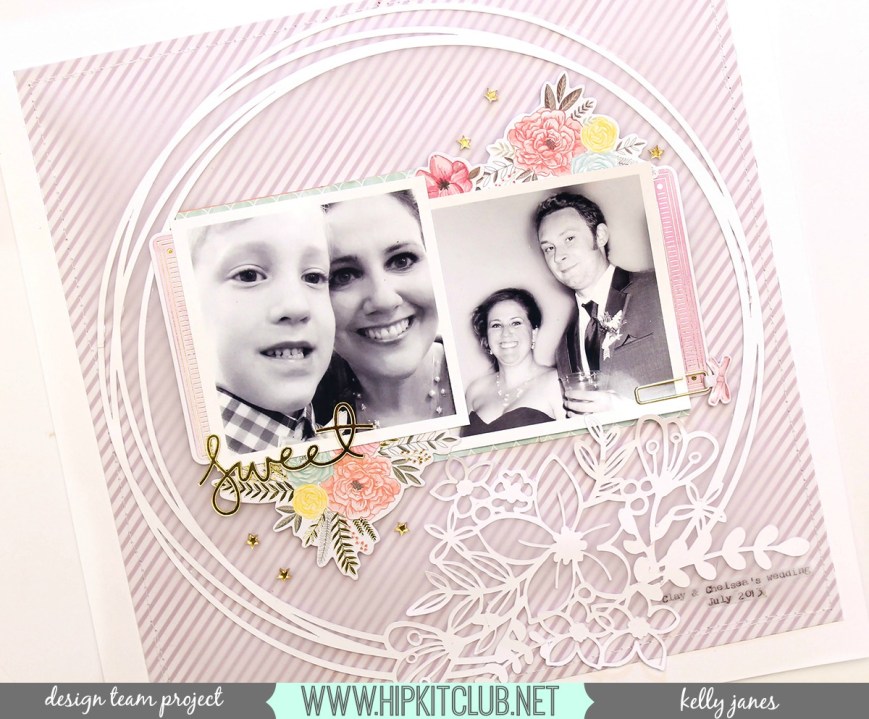
I started with a white cardstock base and then added an exclusive Hip Kit Club pattern paper from the Main Kit. I used one of the member exclusive cut files on white cardstock to create a frame or a border for my photos and embellishments. {Remember you need to be logged into your account to view the cut files on the HKC website} This cut file is just so intricate and gorgeous!! My photos were taken at a wedding a few years ago, and I LOVE how the papers, embellishments, and cut file just fit the theme of these photos!!

Hip Kit Club | December 2016 Kits | Pink Paislee-Take Me Away & HKC Exclusives

After I placed the cut file image on the pattern paper I felt as if the pattern paper was a little too bold. By placing the vellum over the patter paper it helps mute the pattern without taking away any of the detail or design.

Hip Kit Club | December 2016 Kits | Pink Paislee-Take Me Away & HKC Exclusives

I then placed my photos in the center of the cut file image. I grabbed multiple ephemera pieces from the Pink Paislee-Paige Evans-Take Me Away Collection, which is available in the Main Kit and tucked the die cuts next the photos. I wanted to keep balance to the design so I mirrored the ephemera pieces to be sure to maintain balance in the design.

img_99781200

Hip Kit Club | December 2016 Kits | Pink Paislee-Take Me Away & HKC Exclusives

For my title I used one of the gold mirrored acrylic stickers from My Mind’s Eye- Yes Please Collection that is available in the Embellishment Kit. I also added clusters of the exclusive gold acrylic stars and one of the Pink Paislee Take Me Away epoxy paper clips, from the Project Life Kit, for added detail. This all came together rather quickly! I just love the feel and tone of this layout.
Hip Kit Club | December 2016 Kits | Pink Paislee-Take Me Away & HKC Exclusives

I’ve also put together a YouTube video showing how this layout came together!

This layout is based off of sketch #7 from our HKC Facebook Forum sketch series. Head over to the Forum to check out the sketch and what the other Design Team members created!

Thank you so much for joining me today!

kelly-janes-01

‘Tis the Season | The Cut Shoppe

Hello friends!  I have a new layout to share with you that was recently on The Cut Shoppe Blog.

The Cut Shoppe | Tree Farm & 'Tis the Season | Kelly Janes

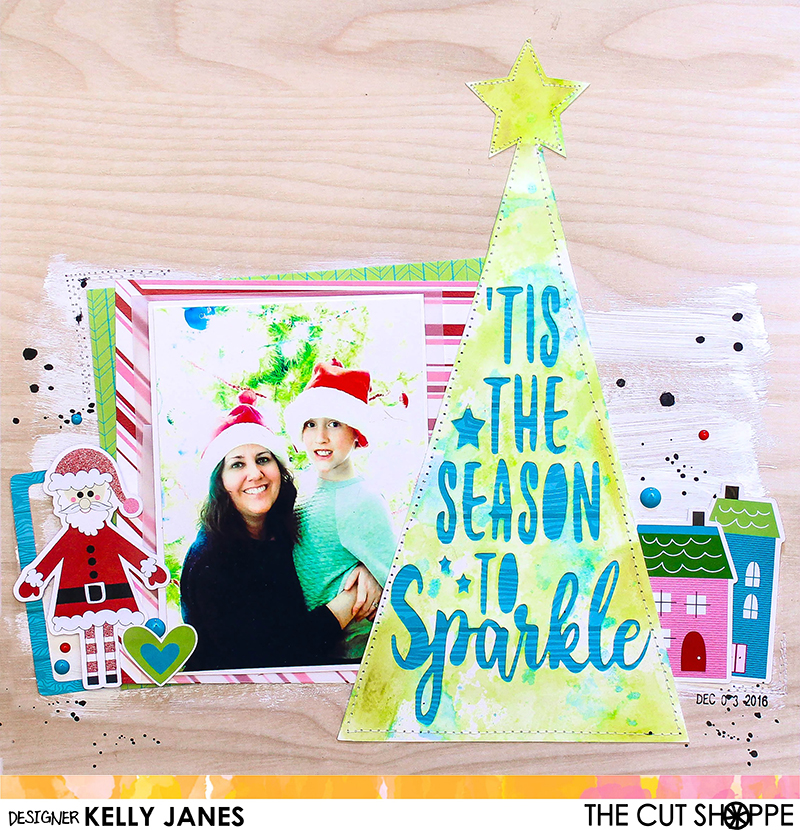
For my layout today I used two cut files from The Cut Shoppe Etsy Store. I used The Tree Farm Cut File and The ‘Tis the Season Cut File.

The Cut Shoppe | Tree Farm & 'Tis the Season

In Cricut Design Space I used the contour feature to make one of the trees from The Tree Farm Cut File into a solid image. Then I took the ‘Tis the Season Cut File and sliced the ‘Tis the Season to Sparkle’ image through the tree. This will allow me to back the sentiment with pattern paper.

The Cut Shoppe | Tree Farm & 'Tis the Season | Kelly Janes

Before I backed the cut file with pattern paper I added color to the tree that is cut on white cardstock using multiple mixed media products including oil pastels, Shimmerz Jeni B Bleu Vibez, and Shimmerz Don’t Citron Me Coloringz.

The Cut Shoppe | Tree Farm & 'Tis the Season | Kelly Janes

The woodgrain background paper is from an older Hip Kit and all of the other pattern papers are from the Pretty Little Studio ‘Tinsel Town Collection’ designed by Ashley Horton. I also used multiple embellishments from that same line including the houses, the frame and the adorable Santa! I wanted to add a little more interest to the background so I used white acrylic paint to add a wash to the background.

The Cut Shoppe | Tree Farm & 'Tis the Season | Kelly Janes

After the paint was dry I adhered everything down to the background paper. I added stitching around the tree, by the photo cluster and also by the house on the bottom right. I also added a sprinkling of enamel dots from My Mind’s Eye in coordinating colors. I wanted to add black splatters but the background paper has a slick feel to it and I was concerned that Black Color Shine wouldn’t soak into the paper. So instead of using Color Shine I mixed black acrylic paint and added splatters using a paintbrush.

I’ve put together a process video that show how this layout came together. It also includes a Cricut Design Space tutorial showing you how I combined the cut files to create the tree on my layout.

MERRY31

Remember today is the final day to take advantage of the sale that is happening at The Cut Shoppe. Be sure to check out all of the amazing cut files and stock up! I hope you all had a very Merry Christmas and a Happy New Year! Thanks for joining me today!

Kelly Janes