YAY!! My January 2017 Hip Kits arrived last week and I have my first layout to share with you today!
Now before we go on, let’s just pause for a moment just to soak in the cuteness of these photos! Aidan was 4 years old and my niece was 3 years old when these photos were taken (they currently are 9 and almost 8 years old). My parents had recently purchased this jeep for them and these photos were taken during one of their first drives. Those facial expressions just make me laugh and melt my heart. When did they grow up and why is it happening so quickly?!
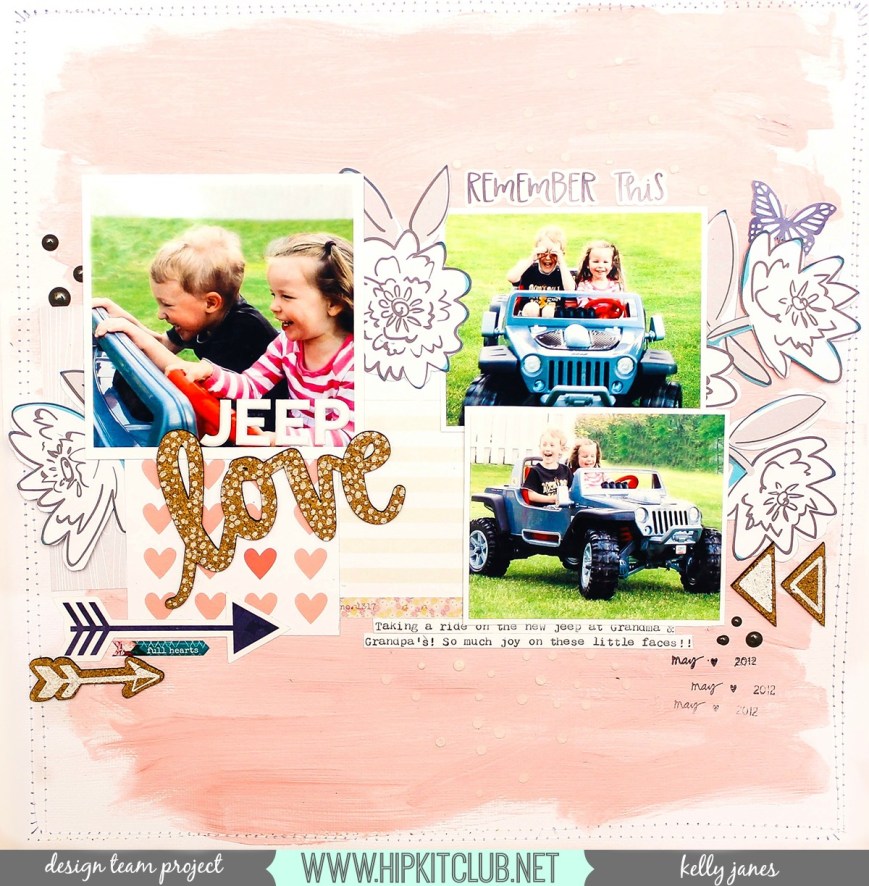
I started with an American Crafts textured white cardstock base from the Cardstock Kit. I then mixed white acrylic paint, the metallic pink Heidi Swapp texture paste from the Color Kit, and water to paint all over the white cardstock background. I also added white dots using a stencil and white texture paste. Next I grabbed a couple of the exclusive Project Life cards from the Project Life Kit and one of the ephemera pieces from the Moonstruck ephemera pack that is included in the Main Kit. I wanted to add a few florals to the mix so I fussy cut multiple flowers from one of the HKC exclusive pattern papers from the Main Kit.
I positioned my three photos and then tucked the fussy cut florals, PL cards, and the PP Moonstruck ephemera piece around the photos. I typed my journaling on a scrap piece of white cardstock using my WRMK Typecast Typewriter and then cut it into strips.
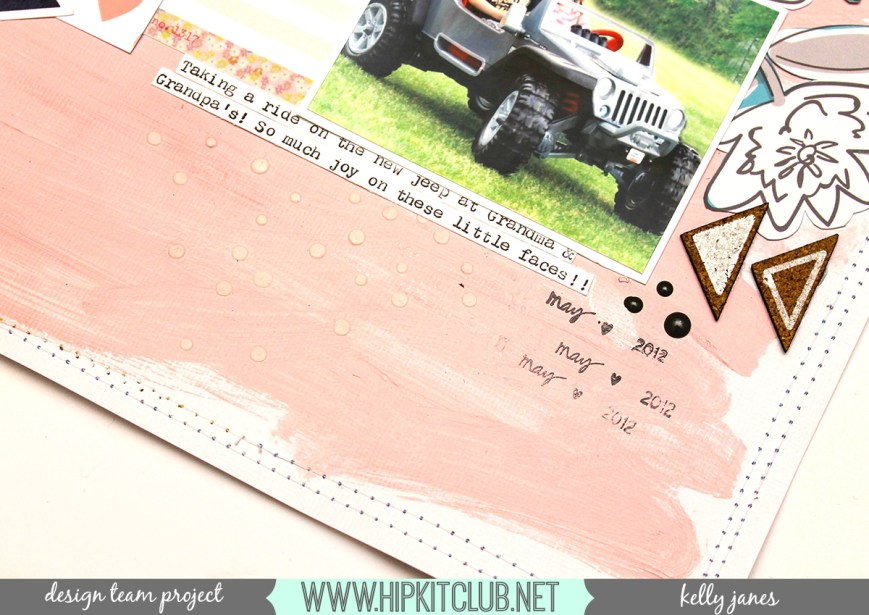
I added a few cork stickers from the American Crafts-1 Canoe 2-Hazelwood Collection that is available in the Project Life Kit. I made sure to position the cork embellishments around the layout to create a visual triangle. I also added a HKC exclusive die cut arrow from the Embellishment Kit under the large photo.
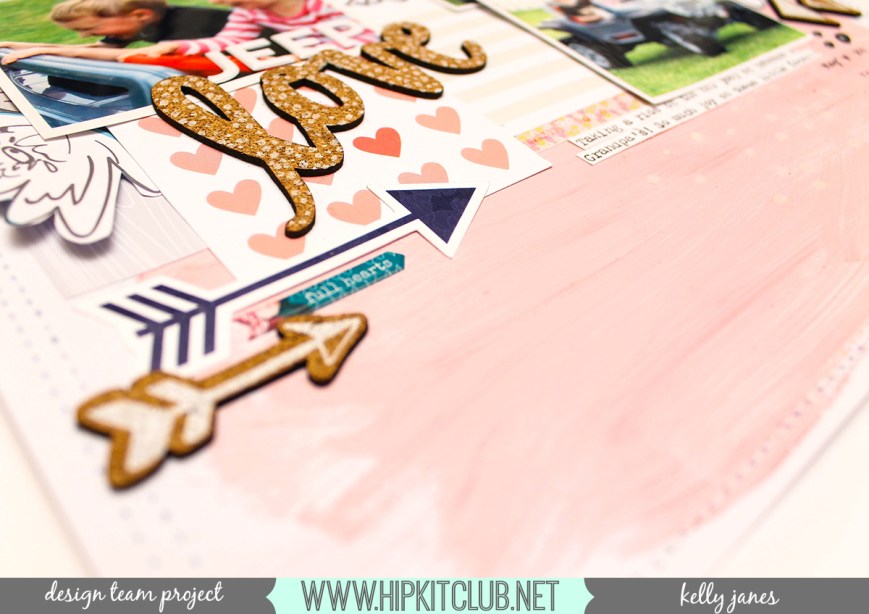
I also used the large “love” cork sticker as a portion of my title. I spelled out the word “jeep” using the white puffy alpha stickers from Studio Calico and positioned those letters directly on the photo. These alpha stickers, from the Project Life Kit, are my absolute fave! I have a weak spot for anything puffy! HA! I also added the words “Remember This” from the 1 Canoe 2 sticker sheet included in the Project Life Kit.

Now at this point I thought the layout was done even though I felt it was missing something. Do you ever have that happen? You just can’t quite figure out what else to add, but you just feel that it is unfinished?! So I walked away for a bit and when I came back. I decided to fussy cut a butterfly from one of the HKC exclusive die cuts from the Embellishment Kit. I also added an exclusive washi strip, from the Embellishment Kit, to the PP Moonstruck ephemera piece. I added a scattering of black enamel dots from the December 2016 Embellishment Kit and to finish the layout I added another arrow from the Pink Paislee Moonstruck puffy sticker sheet (see, I told you about the puffy obsession!) from the Embellishment Kit.
This layout is based off of sketch #10 in our Hip Kit Club Facebook Forum Sketch series. Now you can check out my process video to see how all of this came together!
Thanks for joining me today!



 Papercrafting with Kelly Janes